


Movirea
4.730.00 Reviews
App Specs
- Version
- 1.0.5
- Updated On
- License
- Free
- Downloads
- 50,000+
- Developer
- Nexus Tech Apps
- Categories
- Video Players & Editors
- Platform
- Android
Screenshots
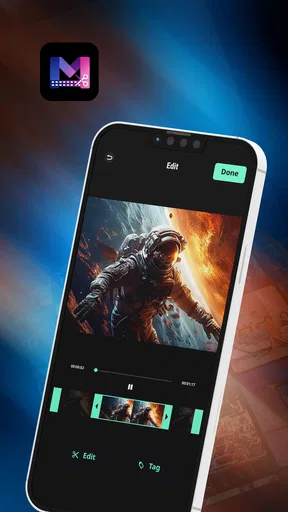
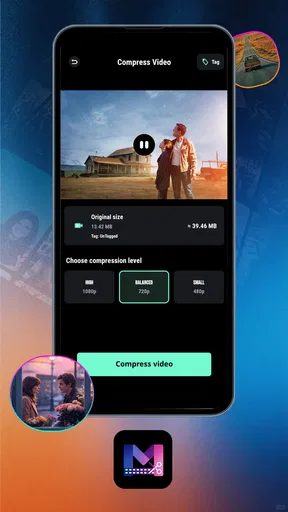
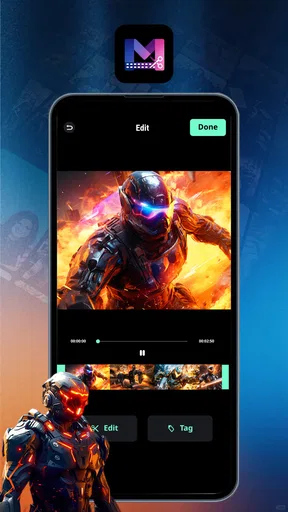
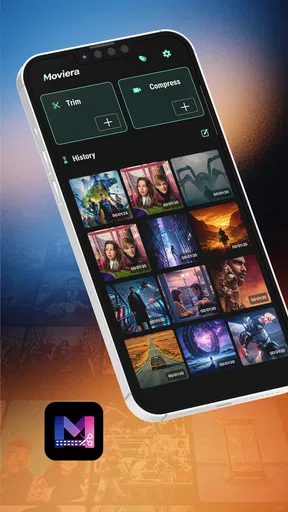
 Analysis by AppCompare
I judge a video editor less by how impressive it feels on the first day than by whether I still reach for it when a clip needs a quick, ordinary fix. Movirea is a free video editing app from Nexus Tech Apps, built around trimming and exporting rather than a promise of elaborate production. That focus could make it useful for everyday edits, but it also means the lasting value depends on how comfortably its basic workflow fits your habits.
When a quick first test tells you enough
Before deciding whether a new editor deserves a place on your phone, I like to test it against a job I already have rather than invent a project for it. A short recording with an obvious beginning or ending to remove is ideal. It reveals whether the basic task feels clear and whether the result is good enough to share, without making you invest time in a larger edit before you know the app.
That first test also helps answer a practical question: do you want a separate editor at all? If your phone’s built-in tools already make routine cuts simple, a dedicated app has to earn its space by making the process more comfortable or giving you a useful alternative. I would compare the actual steps, not the number of tools on screen. For a small edit, fewer decisions can be more valuable than a long menu of options.
From first try to regular use
I find that a video editor proves its worth through the small jobs I repeat, not through a promising first impression. I’ll look at how Movirea’s trim-and-export focus might fit into an ordinary routine, then consider what makes that routine sustainable—or sends me back to another editor.
A simple job is the best first test
For a first session, I would start with a small, disposable clip and a clear goal: remove the awkward pause at the beginning, cut off the end, then export a cleaner version. That is a more revealing test than opening a long project and expecting a full editing suite. The app’s stated emphasis on editing, trimming, and exporting makes this kind of direct task the most sensible place to begin.
A realistic example is recording a short clip for a family chat, noticing that the camera was running before anyone was ready, and wanting to share the useful part without sending the extra footage. A focused editor can save time here because the decision is simple: choose the section worth keeping and produce a separate finished file. I would keep the original until I have checked the export, especially when the clip matters or the cut needs to be exact.
That cautious workflow is useful with any editor, but it matters particularly when an app’s broader tools are not the reason you chose it. Trim first, preview the result, and only then export. If the cut feels rushed, return to the source rather than repeatedly overwriting your working copy. This habit reduces the risk of turning a quick cleanup into a frustrating recovery job.
Worth Reading Before You Choose

Baby Panda World Brings Quick Play to Modern Phones, but Its Game Library Feels Busy

ESPN’s Live Game View Makes Following Close Games Easier

QuizzLand Review: A Good Fit for Short Trivia Breaks, Not Every Player

Basketball Stars: Multiplayer Is Fast, but Can It Recover When Matches Go Wrong?

WEBTOON Turns Phone Updates Into a Better Reading Routine

Link to Windows Runs on Shared Habits, Not Social Feeds
What it is—and what it is not
Movirea sits in the video players and editors space, though the practical appeal here is editing rather than simply watching clips. Its current version is 1.0.5, and its concise focus is a reasonable match for people who mainly want to shorten a recording and save a more shareable result. I would not treat that narrow pitch as evidence that it replaces a full desktop timeline or a feature-heavy mobile production app.
The distinction matters when choosing a tool. A basic trim is often all a clip needs, and opening a complex editor for that job can feel like bringing a toolbox to cut a piece of string. But creators who rely on layered timelines, detailed audio work, captions, effects, or precise control over several clips should compare it with editors that explicitly make those workflows their strength. Movirea is most compelling when the task is modest and the route from source clip to finished file stays straightforward.
The app is free, which makes it easy to try for a low-stakes edit without committing to a purchase. It is rated for Everyone, and the store shows a 4.7 average from around 2,300 ratings, with 50,000 or more installs. Those figures suggest that people have taken an interest, but they do not tell me whether the app’s editing flow suits a particular person. My own recommendation would still depend on testing a representative clip and checking the exported result.
Making a one-off edit less error-prone
One useful way to judge a trim is to listen as well as watch. A cut can look tidy while clipping the first sound of a word or leaving a breath that makes the start feel abrupt. I would replay the opening and ending of the exported file, not just the section in the editing view. This is a small check, but it is more informative than repeatedly adjusting a cut without knowing how the finished file plays.
For a clip you plan to reuse, I would also keep a simple distinction between source and finished copy. If you record a quick how-to for a relative, for instance, the original may be useful later if you need to remove a different pause or choose another ending. Treating the export as a shareable version rather than a replacement gives you room to change your mind without starting over.
The habits that make it more useful
For repeat use, I would make a small routine around it rather than expect an editor to organize my footage for me. Keep originals in a separate place, give exports names that distinguish them from the source, and check the finished file before deleting anything. This is especially helpful when trimming several clips in one sitting: the easiest mistake is confusing an unfinished cut with the version you meant to share.
A second practical tip is to decide what “done” means before editing. For a messaging clip, that may simply be removing dead time. For a short update, it may mean keeping the key moment intact and checking that the beginning does not start mid-sentence. A clear target prevents aimless adjustments and makes it easier to notice whether a lightweight editor is doing enough for you.
I would also test the export on the device or service where the clip will actually be used. A video that looks fine in an editing preview is not automatically the most convenient file for every recipient or platform. Checking playback, sound, and the opening and ending after export is a small step that can catch an avoidable problem before you send the clip around.
Month-to-month value and maintenance
An editor earns lasting space when it solves a recurring annoyance without demanding much upkeep. The strongest long-term case for Movirea is therefore not that it will transform every video, but that it may be handy whenever a recording needs a quick trim. If your camera roll regularly accumulates clips that are too long to share as they are, that simple task can come up often enough to justify keeping a dedicated editing app available.
Maintenance should be modest in concept: open the app when there is a clear edit, preserve the original, export, and verify the result. I would avoid building an elaborate library inside any editor unless it offers a workflow I genuinely use. Keeping source clips in the usual place and treating the app as a tool for finishing them makes it easier to switch editors later and reduces the chance that an old project becomes hard to find.
Version 1.0.5 is still an early point in the app’s life, so I would reassess after using it for a few real jobs rather than assume the first experience settles the question. The practical test is whether the same simple edit remains easy after the novelty wears off. If I have to relearn the controls every time, or routinely move to another app to complete the job, its place in my regular toolkit becomes harder to defend.
What to check before making it a habit
For a new user, the main questions are practical: can you select the part you want with confidence, can you tell what the export will contain, and can you locate the saved result afterward? I would answer those by running the same small test more than once, using different clips rather than relying on a single easy cut. Repetition shows whether the workflow is genuinely comfortable or merely felt simple because the first source happened to be forgiving.
I would also pay attention to how much attention each edit takes. If a clip is only for a private message, a little imprecision may not matter; if it contains a key instruction or a moment you want to preserve, a rushed trim is a poor trade. In that case, use a more precise editor if the boundaries are hard to judge. The right choice depends less on the clip’s length than on the cost of getting the cut wrong.
Where fatigue can set in
A narrow tool can be refreshing at first, then limiting when your needs grow. The same trim-and-export emphasis that makes Movirea approachable may leave frequent creators wanting more control over pacing, sound, titles, or visual polish. I would not choose it as my only editor for a project with several distinct scenes or a carefully planned presentation unless I had first confirmed that its workflow handles those demands comfortably.
There is also a difference between “quick” and “effortless.” Trimming still requires attention: a cut made too early can remove a word, while one made too late can leave the very pause you meant to remove. When precision is important, take time to preview the result rather than racing through the export. If you regularly need frame-level decisions, a more specialized editor may be a better fit than a tool chosen mainly for convenience.
Another source of fatigue is maintaining multiple apps for overlapping jobs. If your phone already has an editor that handles routine cuts reliably, installing another one may add little value. I would keep Movirea only if its own approach makes those edits simpler, or if I prefer separating quick trims from more involved projects. Otherwise, one familiar editor is often easier to maintain than a collection of near-duplicates.
Who should keep it around?
I would suggest giving it a try if you often record short clips and want a straightforward way to shorten them before sharing. It is also a sensible candidate for someone who finds larger editing suites intimidating and does not need a production workflow. The best fit is a person with recurring, uncomplicated edits—not someone looking for a complete creative studio in a pocket.
I would skip it, or at least compare alternatives first, if your routine depends on detailed audio mixing, text overlays, transitions, multi-track arrangements, or tightly controlled exports. Those are not reasons to dismiss a focused editor; they are reasons to match the tool to the work. If the edit is part of a polished channel, client project, or longer story, the time saved by a simpler start may be outweighed by the extra steps needed elsewhere.
A lasting-space verdict
After the first-week curiosity fades, Movirea has a clear route to staying useful: be the app I open when I only need to trim a clip and get on with the day. Its free entry point and focused purpose lower the barrier to trying that routine, while its early version means I would judge it by repeated results rather than assume it will cover every future need.
My honest recommendation is to test it with a clip you would normally share, preserve the original, and inspect the exported file. If that small workflow feels natural across several ordinary edits, it has earned a place on your device. If you keep wishing for finer controls or broader creative tools, move to a more capable editor instead. The lasting value here is convenience, and convenience only counts when it keeps solving the same real problem without adding new friction.
Pros
- Simple interface makes browsing movies and shows straightforward.
- Search tools help users find titles quickly.
- Useful details make it easier to compare available content.
- Personalized recommendations can surface new titles to explore.
- Convenient access to entertainment information in one place.
Cons
- The catalog or features may vary by region.
- Some listings may be incomplete or out of date.
- Recommendations may not always match your interests.
- Availability of titles can change without notice.
- The app may require an internet connection for most features.
FAQs for Movirea
What is Movirea, and what can I use it for?
Movirea is the name of an app, but its exact purpose and features can vary depending on the version and the store listing. Before installing, check the app’s official description, screenshots, developer information, and recent reviews to confirm what it offers. These details help you determine whether it matches your needs and avoid relying on features that may not be available in your version or region.
Is Movirea free to download and use?
Check Movirea’s Google Play or Apple App Store listing for its current price and any in-app purchases or subscription options. An app may be free to install while placing certain features behind a paywall, offering a trial that renews automatically, or displaying advertisements. Review the payment terms before starting a trial or subscribing, and check your account settings if you later decide to cancel.
Is Movirea available for Android and iOS?
Availability depends on whether the developer has published Movirea for your device, operating system version, and country. Search for the app by name in the official Google Play Store or Apple App Store, and verify the developer and listing details before downloading. If it does not appear, it may be unavailable in your region, incompatible with your device, or listed under a different name.
Is Movirea safe, and what personal information does it collect?
No app can be judged safe from its name alone. Before installing Movirea, review its privacy policy, store-page data disclosures, requested permissions, and developer details. Be cautious if a permission seems unrelated to the app’s stated purpose, and avoid entering sensitive information unless you understand how it will be used. Downloading through an official app store can also reduce the risk of installing an altered or misleading copy.
What should I check before downloading Movirea?
Confirm that Movirea is the app you intend to install by checking its official description, developer name, screenshots, device requirements, and latest update information. Read recent user reviews for reports of crashes, access problems, or unexpected charges, while remembering that experiences can differ by device and location. Also check whether the app requires an account, an internet connection, or a subscription for the features you want.


